Dell Software Management
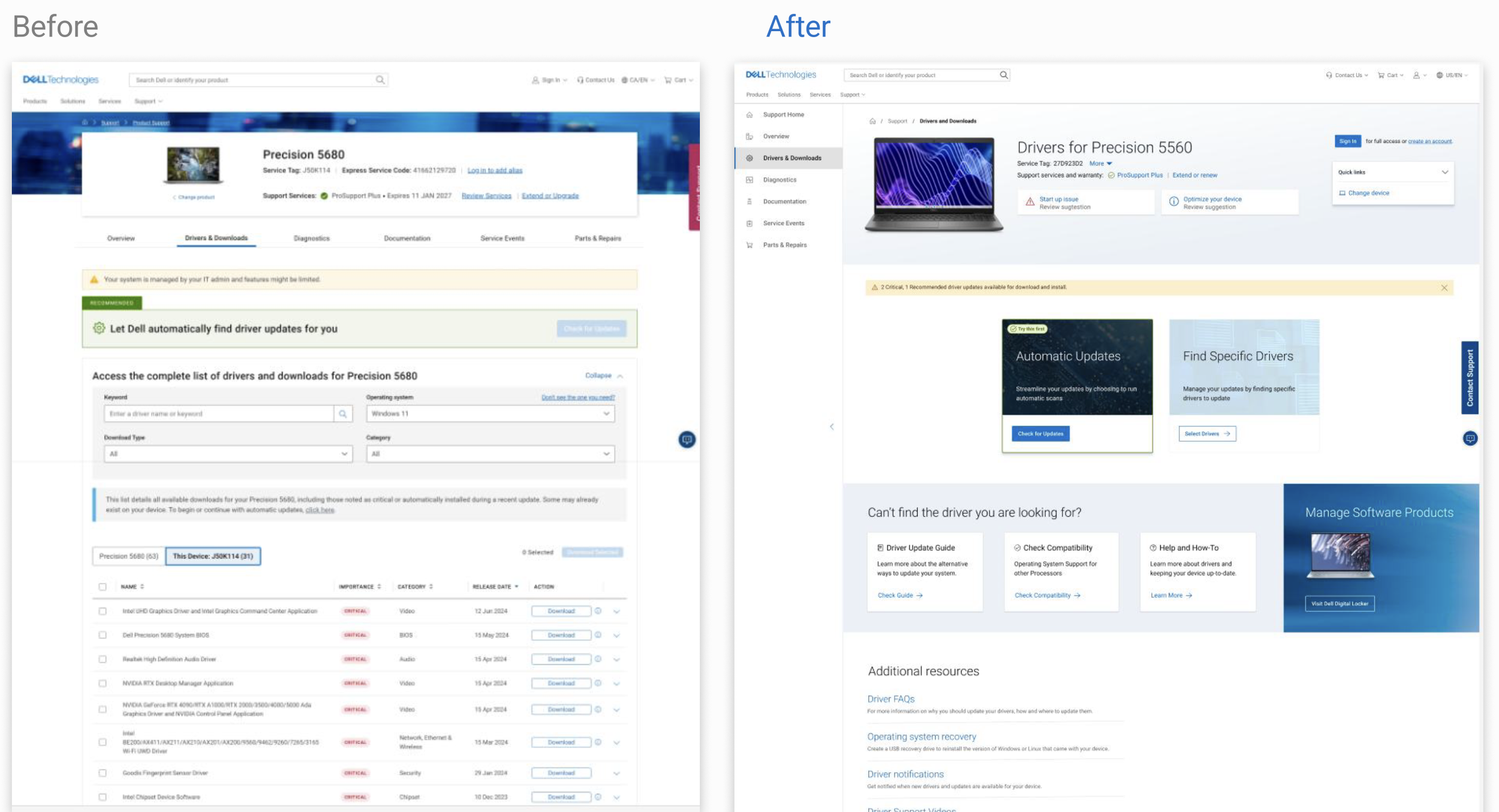
Redesigning Dell Support’s Drivers & Downloads experience to make device updates easier to find, understand, and complete
Role: Senior Designer | Timeline: 2021– 2022
Scope: Research, experience strategy, interaction design, visual design, prototyping, usability testing, and implementation partnership
Context
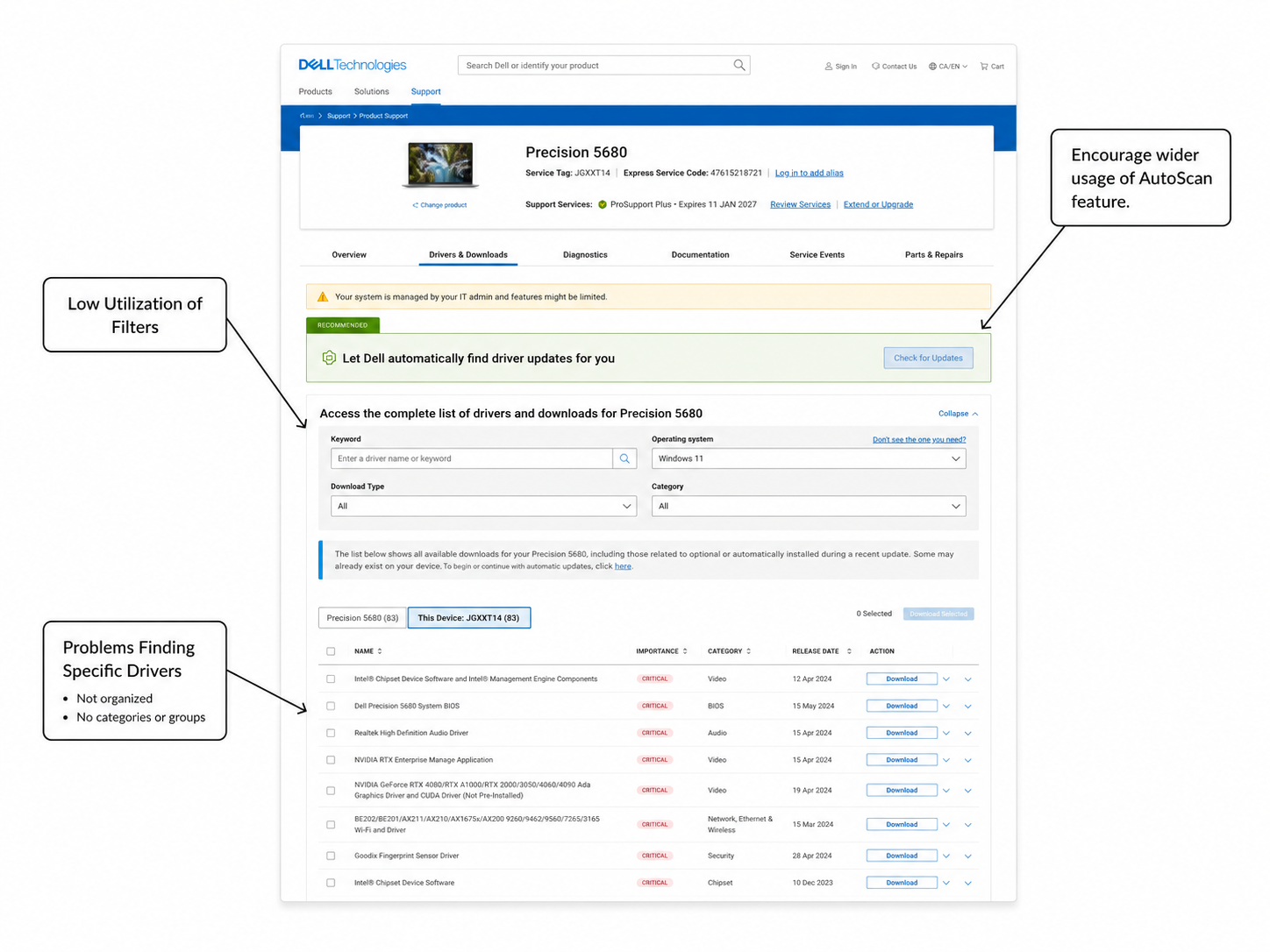
Drivers & Downloads is one of the most heavily used areas of Dell Support. Analytics showed that customers frequently relied on the manual driver table, yet this journey produced lower satisfaction than the automated scan experience.
The automated option delivered the strongest customer satisfaction, but it was not available to all commercial customers. At the same time, customers using the manual path struggled to find the correct update because the table lacked clear organization and its filters were easy to overlook.
The goal was to make automatic updates the clearest path while creating a faster, more understandable manual experience for customers who needed greater control.
The problem
Customers often arrived knowing that they needed an update, but not which driver, firmware, BIOS, or software component was relevant.
The experience placed a long list of available downloads in front of them without clearly explaining:
What needed immediate attention
What was recommended
What was already installed
How to find a specific driver quickly
What to do when the expected driver was missing
Commercial customers also lacked access to the automated scan flow, forcing them to search manually.
The page offered many options, but little guidance about the right next action.
Research
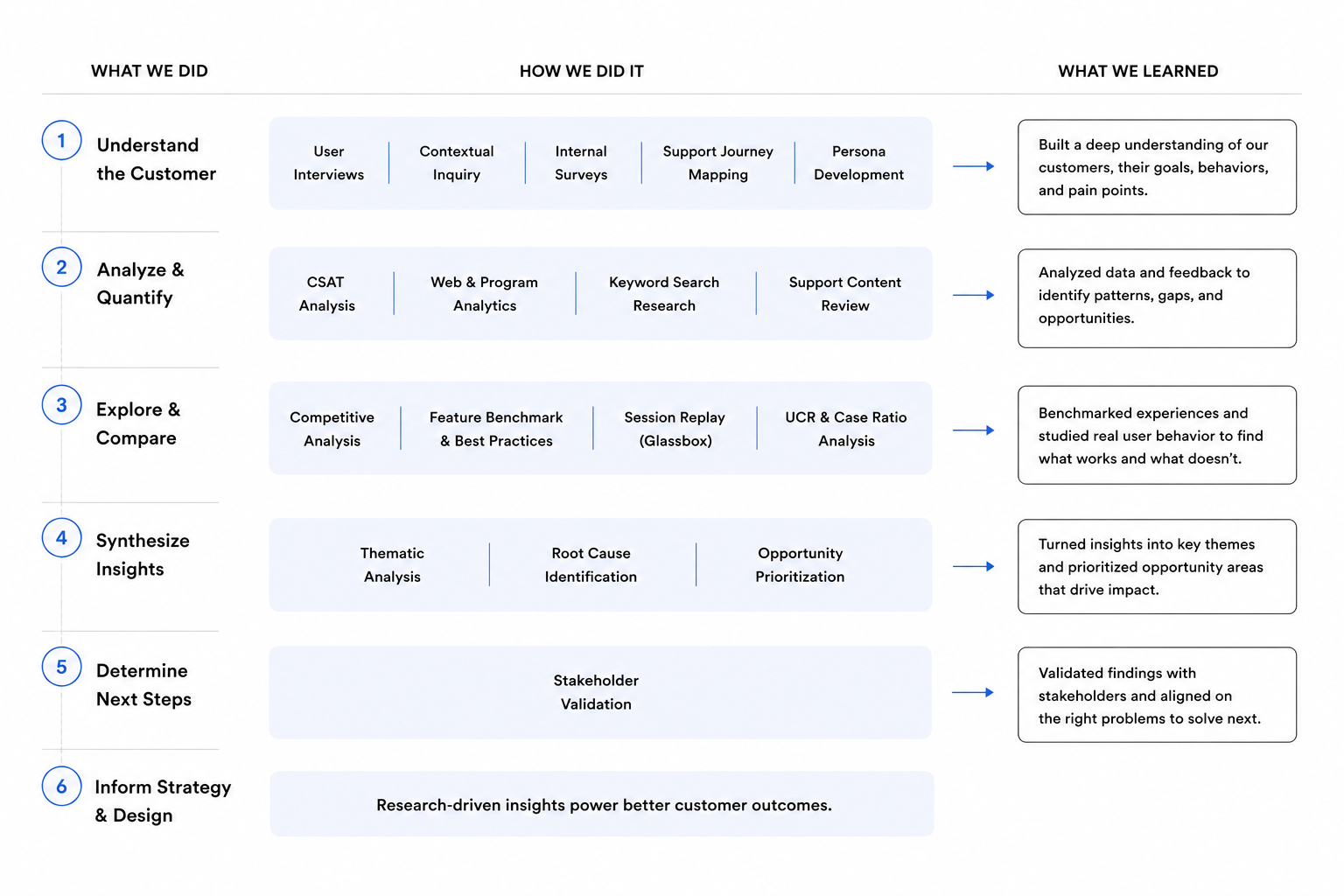
I combined analytics, satisfaction data, Glassbox session reviews, competitive analysis, stakeholder input, and two rounds of usability testing.
Research revealed that:
Automated scanning produced the strongest satisfaction.
Manual users struggled with organization, filters, and long driver lists.
Experienced customers still relied on sorting and direct-download workflows.
This visual is a representative summary of the research conducted; details have been simplified and anonymized for confidentiality.
The solution
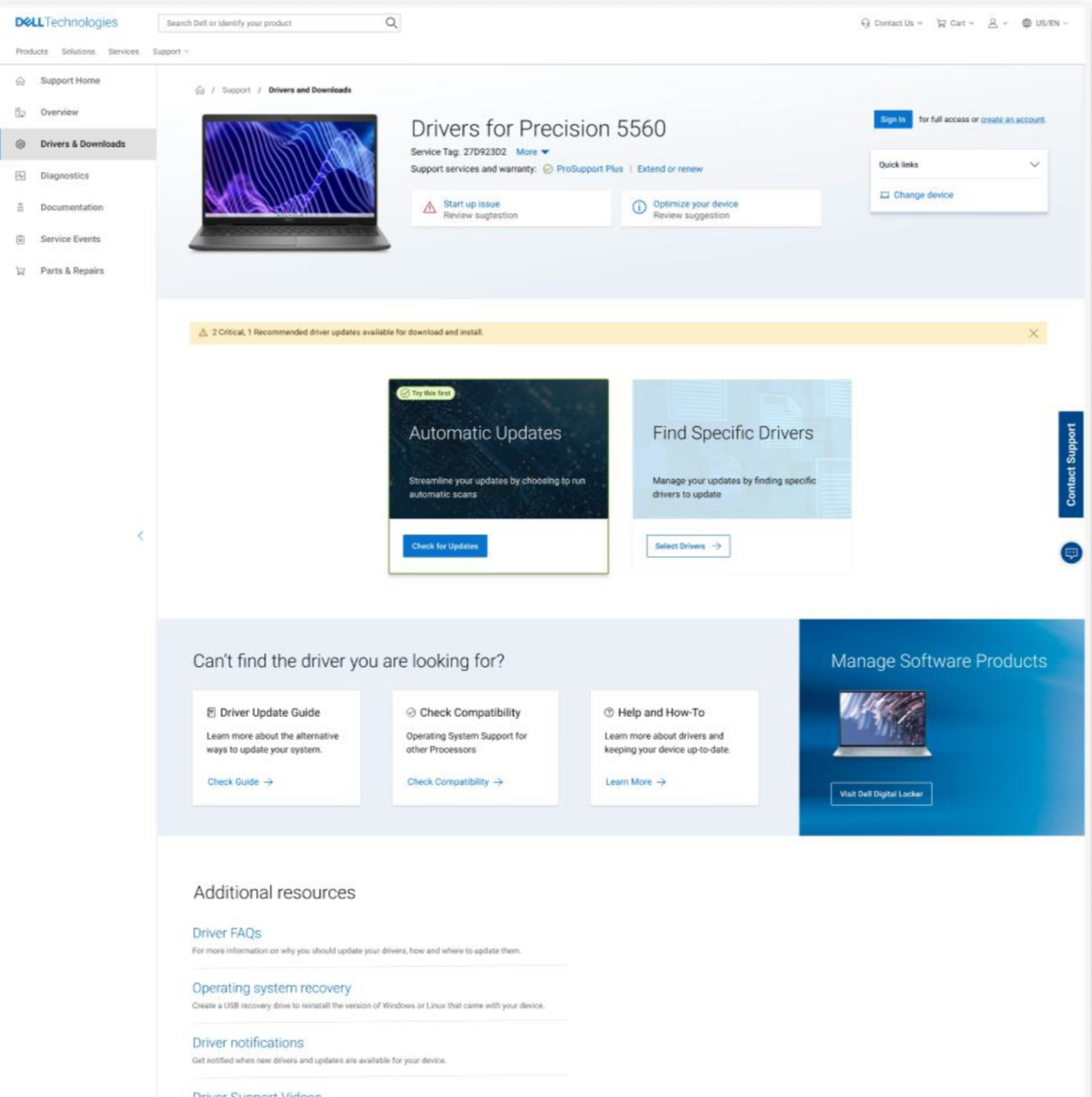
I redesigned the experience around two clear paths:
Automated updates received stronger visual emphasis and clearer guidance, helping customers identify relevant updates with less effort.
Manual downloads were reorganized using categories, collapsible sections, clearer filters, and grouping controls. Critical and recommended updates were prioritized, while optional and installed drivers were collapsed by default.
Empty states and support actions also guided customers when the expected driver could not be found.
Outcome
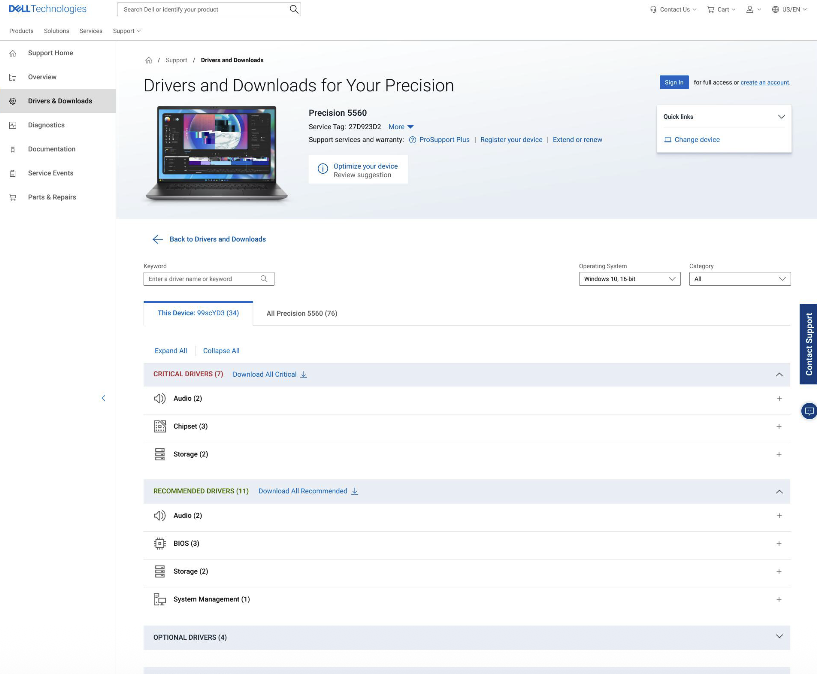
The redesign made automated scanning easier to discover and the manual process easier to navigate, while preserving efficient paths for experienced customers.
It reduced cognitive load, improved driver findability, and contributed to a 48% improvement in CSAT.